2026 Best How Smart Devices Support Remote Caregiving?

Time:2026-09-25 Author:Mason
0%

Distance can make everyday caregiving feel uncertain. A missed call, an unopened medicine reminder, or an unusual stretch of quiet may leave family members wondering what is happening at home. In 2026, connected devices can offer useful signals without requiring a caregiver to be physically present. This guide explores how smart devices support remote caregiving through practical tools such as video calls, wearable alert buttons, motion sensors, and medication reminders. Small details matter. A sensor might show that someone entered the kitchen, while a scheduled check-in can make it easier to notice a change in routine.

These tools can help families stay informed, coordinate support, and respond when something seems out of the ordinary. They do not replace human attention or professional care. An alert may be delayed, a device may lose power, and a change in movement does not explain its cause. Caregivers should check what a device actually measures, test its settings, and agree with the person receiving care on what information is shared. Privacy and comfort matter. So does a backup plan, such as a trusted neighbor or regular phone call. Smart technology can reduce some uncertainty, but it cannot remove it entirely. That limitation is worth remembering. The following overview considers useful device types, everyday setup choices, and the questions families can ask before relying on technology at a distance.
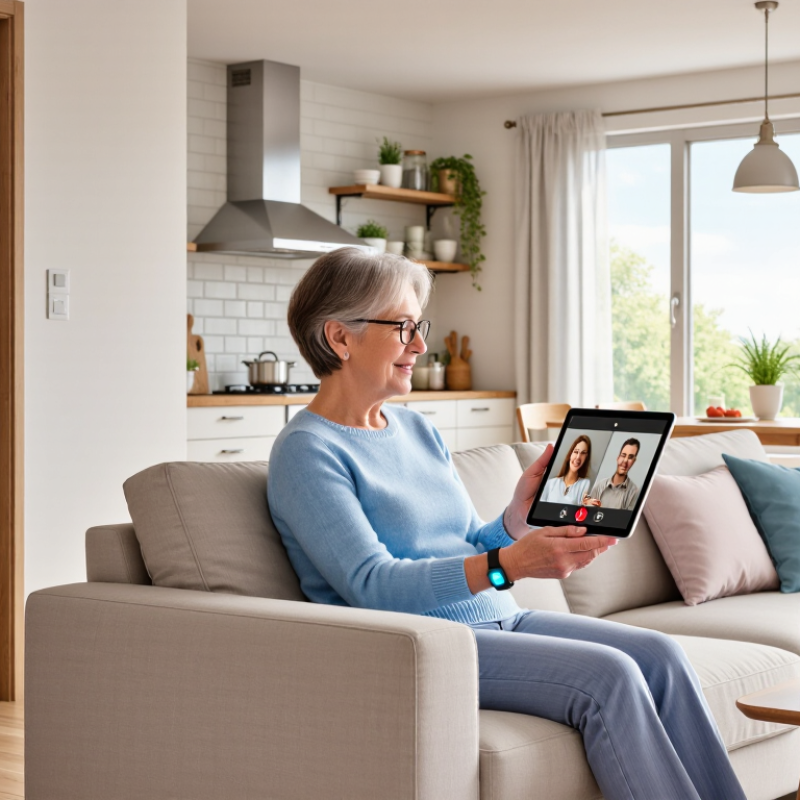
2026 Best How Smart Devices Support Remote Caregiving?

What Remote Caregiving Means in the Context of Smart Devices

Remote caregiving means supporting an older adult or person with health needs when a caregiver cannot be present each day.

Smart devices connect everyday observations to distant caregivers. A door sensor may flag an unexpected exit; a connected blood-pressure cuff can share readings for review. A video call can make a routine check-in feel more human.

Distance is not absence. It is a shift from direct observation to alerts and conversations.

AARP and the National Alliance for Caregiving’s Caregiving in the U.S. 2020 report estimated that 53 million U.S. adults provided unpaid care. Pew Research Center reported in 2021 that roughly one in five U.S. adults used a smart-home device. These figures suggest connected tools are entering ordinary homes alongside substantial care needs.

Ownership alone does not equal reliable support. Good setups need the recipient’s consent, clear alert rules, and a named responder. Otherwise, a quiet notification may become another burden.

Devices can support, not diagnose, care decisions. Clinical readings need context from qualified professionals.

Still, sensors miss things. A closed door cannot confirm safety. A missing reading may mean a dead battery, not a sudden decline. Families should periodically ask whether an alert signals a useful change or merely creates noise.

Which Smart Devices Help Caregivers Monitor Daily Needs

Motion sensors can show whether someone has moved through familiar parts of the home, such as the kitchen or hallway. A sensor near the bedroom may alert a caregiver when a usual morning routine seems delayed. These devices do not explain why a person has stayed in bed. A quick call may still be needed. Small signals matter.

Door sensors can notify family when an exterior door opens, while a smart pill dispenser can provide reminders at scheduled times. Wearable devices may track activity or detect a fall, but readings can be inaccurate if a device is loose or left charging. A missed alert is possible. Caregivers should learn what each device measures and what it cannot confirm.

Smart plugs can help track whether a kettle or lamp is used, offering clues about daily habits without a camera. That can feel less intrusive. Still, a change in routine may reflect a preference, not a problem. Discuss monitoring with the person receiving care, and choose only the alerts that are useful. Too many notifications can become noise, and setup is rarely perfect on the first try. These tools support check-ins; they do not replace conversation or professional care.

2026 Best How Smart Devices Support Remote Caregiving? - Which Smart Devices Help Caregivers Monitor Daily Needs

Smart Device Type Daily Need Supported What It Can Monitor or Report How Caregivers Can Use the Information Important Limitations
Wearable emergency button or medical alert device Getting help after a fall, injury, or sudden illness A manually triggered help request; some models also offer automatic fall detection and location sharing. Receive an alert and contact the wearer, a designated responder, or emergency services according to the care plan. Automatic fall detection can miss events or generate false alarms. A wearable generally needs to be charged and worn; it does not replace emergency services.
Motion and presence sensors Routine movement around the home Movement in selected areas and, depending on placement, activity patterns such as getting out of bed or entering a room. Review changes from the person’s usual routine and check in when an expected pattern is absent or unusual. These sensors indicate movement, not identity or health status. Pets, visitors, placement, and connectivity can affect readings.
Door and window contact sensors Awareness of entries and exits Whether a monitored door or window has opened or closed, often with a time stamp. Receive notifications about an unexpected departure or an entry that may need checking. A sensor reports a door or window event; it cannot confirm who used it or whether the person is safe outside.
Smart medication dispenser Medication organization and dose-time reminders Scheduled reminders and, on some devices, whether a compartment was accessed or a dose was dispensed. Follow up when a scheduled dose appears to have been missed and coordinate with the person or their care team. Accessing or dispensing a dose does not prove that medication was taken. Device setup and medication schedules should be reviewed with a qualified professional.
Connected blood pressure monitor Recording blood pressure readings at home Blood pressure and pulse readings, with some models transferring results to an app or care record. Help the person follow a clinician-recommended measurement routine and share recorded readings with their healthcare professional. Incorrect cuff size, positioning, timing, or technique can affect results. A home reading is not a diagnosis or a substitute for clinical advice.
Connected scale Tracking weight over time when recommended Weight readings and trends when measurements are taken and successfully synced. Review trends with the person’s healthcare team if weight tracking is part of their care plan. Weight can vary for many reasons. A scale cannot explain a change or determine its medical significance.
Smart thermostat and temperature sensor Maintaining a comfortable indoor environment Room temperature and thermostat settings; some systems can send alerts when readings fall outside set ranges. Check on the home when temperatures may be uncomfortable or when a heating or cooling setting changes unexpectedly. Room readings may not reflect every area of the home or the person’s comfort. Alerts depend on power, network access, and device settings.
Voice assistant or smart speaker Reminders, hands-free communication, and simple requests Configured reminders, voice-initiated calls or messages, and responses to spoken requests, depending on settings. Set routine prompts and make it easier for the person to contact a caregiver without handling a phone. Voice recognition can fail, and the device may not hear a request. Review privacy settings and do not rely on it as the only emergency contact method.

Caregiving note: Choose devices with the person’s consent, agree on who receives alerts, and review privacy, accessibility, charging, connectivity, and backup plans. Alerts and device data can support check-ins but cannot replace direct care or professional medical advice.

How Devices Collect and Share Health and Activity Data

A motion sensor can show that a parent got out of bed, while a wearable may record pulse, steps, and sleep. Smart scales and medication dispensers can add weight readings or missed-dose alerts. Most devices send these measurements through a home connection to an app or care portal, where an older adult can choose to share selected information with family or clinicians. Small details matter. A timestamp, device battery level, and note about unusual activity can help explain a reading. Without context, a single number may look more alarming than it is.

The U.S. National Center for Health Statistics reported that 21.2% of adults used a wearable device to monitor health or fitness in 2020. The Office of the National Coordinator for Health Information Technology found that 57% of U.S. adults were offered online access to their medical records in 2022, and about half accessed them. These figures show growing routes for digital health information, not proof that every family uses remote monitoring. That distinction matters. Caregivers should agree with the person receiving care on what is shared, who can see it, and when alerts need action. A device can miss a fall or flag harmless movement. Data helps, but it does not replace a conversation, a clinician’s judgment, or a regular check-in. It is imperfect.

How Caregivers Use Alerts to Coordinate Remote Support

A missed call can leave a family guessing. Smart devices can send alerts about a door opening, unusual movement, or a daily check-in that did not happen. For remote caregivers, these signals offer a clearer starting point than repeated calls. An alert is not proof of an emergency. It is a prompt to check.

A caregiver might receive a notification that an older parent has not taken a scheduled medication from a monitored dispenser. They can message a nearby relative to visit, while another family member calls. Shared calendars or care apps can record who responded, reducing duplicate calls and confusion. Keep alert settings tied to specific needs, such as a nighttime exit or a missed morning routine. Too many notifications create noise. People start ignoring them.

Good coordination also depends on consent and clear expectations. The person receiving care should know what is monitored and who sees each alert. Agree on who responds during work hours, overnight, and when someone is traveling. Test the system together; a weak Wi-Fi signal or a muted phone can break the plan. These tools can support human care, but they cannot read every situation. A quiet day may be normal. Or not. Families may need to adjust thresholds as routines change, and that takes patience. Sometimes the alert arrives late, and the response feels awkward. That is worth discussing, not hiding.

2026 Best: How Smart Devices Support Remote Caregiving

How caregivers use alerts to coordinate remote support

Falls are a common reason for remote check-ins. Smart-device alerts, such as a fall notification, can prompt a caregiver to contact the older adult or arrange follow-up support. Alerts help coordinate a response; they do not guarantee that a fall will be detected or prevented. The CDC estimates that about one in four U.S. adults aged 65 and older falls each year. The 75% figure is the derived complement, not a separately reported CDC measure.

Source: U.S. Centers for Disease Control and Prevention (CDC), older adult fall statistics.

What Privacy, Reliability, and Access Issues Caregivers Should Consider

Smart devices can help caregivers notice changes between visits, but remote monitoring only works when privacy is considered from the start. Before setting up a camera, sensor, or medication reminder, discuss what the person receiving care is comfortable sharing. A sensor near the front door may reveal routines; an always-on camera can feel far more intrusive. Choose the least revealing tool that meets the care need, and check who can view its data.

Reliability needs a real-world test. A motion sensor may miss activity if it is placed behind a chair, while a loose internet connection can delay an alert. Test devices at different times of day, and agree on what caregivers should do if a notification does not arrive. Alerts can also be wrong. Too many false alarms may lead people to ignore the important ones. That risk is easy to underestimate.

Access matters, too. Some households have weak broadband, older phones, or limited technical support. Interfaces with small text or confusing setup steps can exclude the very people they are meant to help. Check whether essential features work without constant connectivity, and make sure more than one trusted caregiver can respond when appropriate. A setup that looks simple on a screen may be frustrating at home; that deserves a second look.

FAQS

How can motion sensors help caregivers?

They can show movement through familiar areas, such as a bedroom, hallway, or kitchen. A delayed morning movement may prompt a check-in. It cannot explain why someone stayed in bed.

Can door sensors show when someone leaves home?

Yes. A sensor can notify family when an exterior door opens. The alert shows that the door opened, not who opened it or where they went.

What can a smart pill dispenser do?

It can provide reminders at scheduled times and flag a missed dose. It cannot confirm that the person took the medication.

What information might a wearable device collect?

It may record activity, pulse, steps, or sleep. Readings can be inaccurate if the device is loose or charging. A fall alert can also be missed.

Can smart plugs help track daily habits?

They can show whether a lamp or kettle was used, offering clues without a camera. A changed pattern might reflect a preference, not a problem.

How does device data reach caregivers?

Many devices send measurements through a home connection to an app or care portal. Shared details may include timestamps, weight readings, or missed-dose alerts.

What should families agree on before sharing data?

Discuss what information is shared, who can see it, and which alerts need action. Too many notifications can become noise.

Do monitoring devices replace regular check-ins?

No. Data can help guide a conversation, but it cannot replace one. A quick call may still be needed, and setup rarely works perfectly at first.

Conclusion

This article explains how smart devices support remote caregiving by helping caregivers stay informed and connected when they cannot be physically present. Wearable sensors, connected home devices, medication reminders, and communication tools can provide a picture of daily routines and needs. Depending on the device and the user’s preferences, these tools may record activity, sleep, medication schedules, or selected health measures, then share updates with authorized caregivers.

Alerts can help caregivers notice missed routines or unusual changes and decide when to check in, contact another support person, or arrange in-person help. However, technology works best as a supplement to human care, not a replacement for it. Caregivers should consider privacy and consent, the accuracy and reliability of readings, internet access, ease of use, and what to do if a device stops working. Choosing tools that fit the person’s needs and comfort can make remote support more useful and respectful.

Mason

Mason

Mason is a seasoned marketing professional with a deep expertise in the company's offerings and a passion for driving brand awareness. With a strong background in digital marketing strategies, he has an innate ability to connect with diverse audiences and effectively communicate product benefits.......