What Is the Best Wearable for Elderly Safety in 2026?

Time:2026-09-15 Author:Sophia
0%

Choosing what is the best wearable for elderly safety in 2026 requires more than comparing screen sizes, prices, or fashionable designs. Safety begins with real risks. The U.S. Centers for Disease Control and Prevention reports that more than 14 million older adults fall each year. The World Health Organization identifies falls as the second leading cause of unintentional injury deaths worldwide. These figures make rapid assistance, accurate detection, and dependable communication essential.

A useful wearable should support fall detection, two-way voice contact, location sharing, and emergency alerts. It should also offer a comfortable fit, strong battery life, water resistance, and simple charging. A small device on a bedside table protects nobody. Comfort matters. So does trust. The AARP “Home and Community Preferences Survey” shows that many older adults want to remain independent at home, while the United Nations World Social Report 2023 highlights the growing need for age-inclusive support systems. These reports suggest that the best choice must connect personal independence with reliable caregiver response.

Joseph Coughlin, director of the MIT AgeLab, said, “The future of aging is not about old people; it’s about all of us.” His point is important. Technology should support dignity, not create constant surveillance. No device is perfect. False alerts happen, batteries fail, and some seniors may reject complicated features. This guide compares leading wearable options through an evidence-based lens, including safety performance, usability, privacy, and everyday experience. The strongest wearable may not be the most advanced model. It may be the one an older person willingly wears every morning.
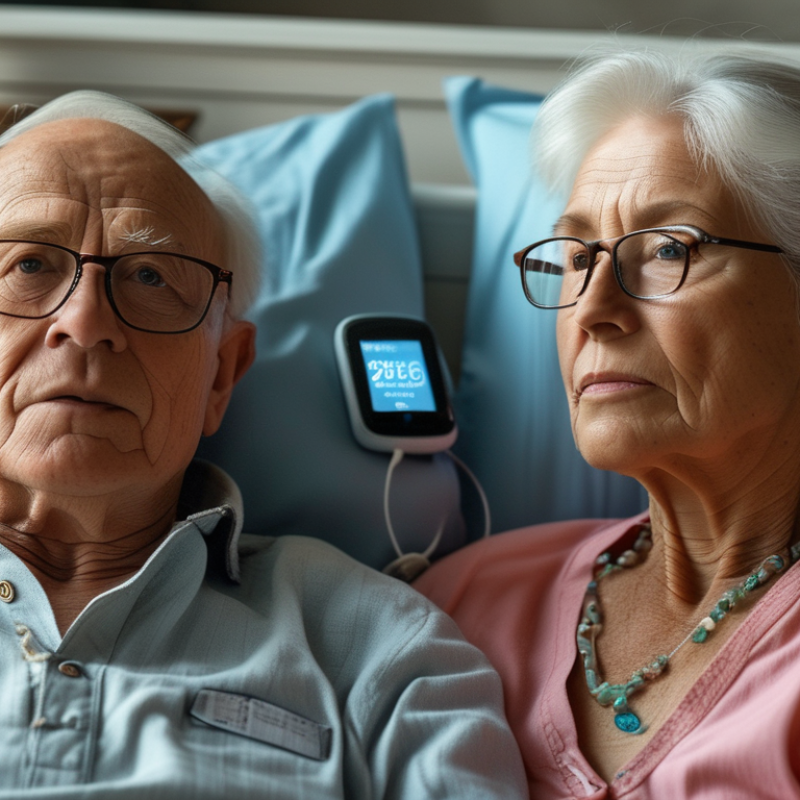
What Is the Best Wearable for Elderly Safety in 2026?

Key Safety Needs of Older Adults in 2026

Older adults need more than a panic button in 2026. They need rapid help after a fall, clear communication, and support that does not feel intrusive. The World Health Organization reports that falls cause about 684,000 fatal injuries worldwide each year, with adults over 60 facing the greatest risk. The CDC also estimates that more than 14 million older adults in the United States report falling annually. These figures make fall detection a serious safety function, not a fashionable feature.

A suitable wearable should detect a hard impact, allow manual SOS activation, and support two-way voice communication. Location sharing can help during outdoor confusion or sudden weakness. Battery life matters. So does comfort. A heavy device may remain on a bedside table, where it offers little protection. Clinical guidance also supports reviewing fall risks, medications, vision, and mobility rather than relying on technology alone. A wearable should support that care plan, not replace it.

Privacy deserves equal attention. Older adults should understand who receives alerts, when location data is shared, and how long records remain stored. False alarms can also create fatigue for families and emergency services. I would not trust one sensor alone. A more reliable system could combine movement changes, voice input, and user confirmation. Still, no device detects every emergency. Fit matters. Human judgment matters. The National Council on Aging identifies falls as a leading cause of injury among older Americans, yet real homes remain unpredictable. Research and practical testing should continue before safety claims become promises.

Types of Wearable Devices for Elderly Safety

What Is the Best Wearable for Elderly Safety in 2026?

Types of Wearable Devices for Elderly Safety

Wearable safety devices now serve different risks, not one universal need. Medical alert pendants provide a large emergency button and two-way voice communication. They suit older adults who live alone or feel uncertain after a fall. According to the CDC, more than 14 million Americans aged 65 and older report falling annually. A simple pendant may therefore be more practical than a feature-heavy watch.

Smartwatches can combine fall detection, heart-rate monitoring, medication reminders, and emergency calling. However, small screens may confuse users with weak eyesight or limited dexterity. GPS-enabled trackers help caregivers locate someone during wandering or disorientation. They work best when consent, privacy, and battery routines are clearly managed. The World Health Organization reports that falls are the second leading cause of unintentional injury deaths worldwide. Location data cannot prevent every incident.

Sensor-equipped shoes and insoles offer another option. They can identify uneven balance, unusual pressure, or changes in walking patterns. These devices may help clinicians notice gradual mobility decline before a serious fall. Yet research and real-world accuracy still vary. No sensor is perfect. A quiet collapse, a loose strap, or an uncharged battery can defeat excellent technology. In practice, comfort, simple charging, reliable alerts, and caregiver training often matter more than the number of features. (Sources: CDC, Older Adult Falls Data, 2024; WHO, Falls Fact Sheet.)

What Is the Best Wearable for Elderly Safety in 2026?

Common Safety Functions by Wearable Type

This category-level comparison shows whether a safety function is commonly available in each type of wearable device. A score of 1 means the function is commonly offered, while 0 means it is not typically a core feature. Smartwatches and GPS safety watches provide the broadest combination of location sharing, fall detection, emergency SOS, and health monitoring. Actual capabilities, accuracy, connectivity, and battery life vary by device.

Essential Features for Comparing Safety Wearables

What Is the Best Wearable for Elderly Safety in 2026?
Essential Features for Comparing Safety Wearables

The best wearable depends on a person’s health, routines, and home environment. Comfort matters because an unused device offers no protection. Look for a lightweight design, simple controls, and clear audio. Fall detection can help, but it is not perfect. A slow collapse, wet surface, or unusual movement may confuse the sensor. Emergency calling should connect quickly, even when the wearer cannot reach a phone. Two-way voice communication helps responders understand the situation. Location sharing may support outdoor safety, especially for people with memory concerns.

Compare battery life honestly. A device requiring daily charging may fail during a busy morning. Check charging indicators, water resistance, network coverage, and alert settings. Some wearables need a nearby phone, while others work independently. This difference can affect safety outside the home. Privacy also deserves attention. Review who receives location data, how alerts are stored, and whether consent is clear. Clinical advice can guide choices for people with serious balance or heart concerns, but technology cannot replace regular medical care or human contact.

Tips: Test the wearable during normal routines. Walk upstairs, sit down quickly, and press the help button. Ask an older adult to explain the alert process. If the instructions sound confusing, reconsider the device. Keep a backup contact plan. No system is flawless.

How to Choose the Best Wearable for Individual Needs

The best wearable for elderly safety in 2026 is not automatically the most advanced device. It should match the person’s health, habits, home, and comfort. A simple safety check helps: Can they read the screen? Can they charge it without help? Will they wear it during a shower, walk, or night-time bathroom visit?

Fall detection may suit someone with balance problems, while location sharing can help a person who occasionally becomes disoriented outdoors. Emergency calling is useful only when the wearer can reach and understand it under stress. Test the button with a trusted caregiver. Small delays matter.

Battery life, water resistance, cellular coverage, and sound volume also deserve careful checking. A device that loses power every afternoon is not dependable safety equipment.

Personal privacy should guide the choice too. Ask what information is collected, who can view it, and how alerts are handled. Health professionals or occupational therapists can help connect wearable features with real daily risks. Caregivers should review false alarms, missed alerts, and charging routines after several weeks. No device is perfect. A fall may happen without detection, and an alert may fail in a weak-signal area. That limitation needs honest planning. Keep emergency contacts current, teach the wearer the basic controls, and consider a backup plan, such as a nearby phone or regular check-in. Comfort often wins. If the strap irritates the skin or feels embarrassing, the safest wearable may remain unworn.

Privacy, Comfort, Reliability, and Cost Considerations

What Is the Best Wearable for Elderly Safety in 2026?

The best wearable balances privacy, comfort, reliability, and cost. Safety features matter, but daily acceptance matters more. The World Health Organization reports about 684,000 fatal falls globally each year. Adults over 60 face the highest risk. A device should detect falls, share location, and support emergency contact. However, false alarms can create stress. Reliability needs real-world testing, not attractive specifications.

Privacy deserves equal attention. Choose a wearable with clear data controls, limited permissions, and deletion options. It should explain where location and health data travel. The IBM Cost of a Data Breach Report 2024 placed the global average breach cost at 4.88 million dollars. That figure concerns organizations, not families. Still, it shows why careless data handling deserves scrutiny. Some devices collect more information than safety requires.

Comfort often decides whether an older person keeps wearing it. A light body, readable screen, soft strap, and simple charging routine help. AARP’s 2024 Tech Trends and Adults 50-Plus report shows continued technology adoption among older adults, but adoption does not guarantee confidence. Large buttons may beat advanced menus. Monthly fees also deserve careful comparison. A low purchase price can hide expensive monitoring charges. The honest choice may be less impressive, yet easier to wear every morning. Even strong devices can fail when batteries weaken, signals disappear, or the wearer forgets charging.

What Is the Best Wearable for Elderly Safety in 2026? — Privacy, Comfort, Reliability, and Cost Considerations

Wearable Category Core Safety Functions Privacy Considerations Comfort and Usability Reliability Factors Typical Battery Life Water Resistance Indicative 2026 Cost Best Suited For
Basic Emergency Pendant One-touch emergency button; two-way voice communication through a home base station; optional caregiver response service. Usually collects less location data than GPS-enabled devices. Confirm how voice recordings, emergency contacts, and account information are stored. Lightweight and simple to operate. The pendant may be inconvenient during bathing unless it is specifically rated for water exposure. High at home
Generally dependable when the base station has power and the user is within its communication range. It does not normally provide outdoor location tracking.
Approximately 1–5 years for a replaceable button-cell battery, depending on the design and usage. Often water-resistant; fully waterproof use should be verified before wearing it in a shower or bath. Equipment: about US$20–$100
Service: about US$20–$50/month
Older adults who spend most of their time at home and prefer a very simple emergency control.
Cellular Safety Wristband Emergency calling, two-way voice, caregiver notifications, and location sharing through a built-in cellular connection. Requires a mobile network connection and usually processes contact, location, and device data. Choose services with clear consent, deletion, and data-sharing controls. Easy to reach on the wrist and usually more discreet than a pendant. Charging is required regularly, which may be difficult for users with memory or dexterity limitations. High outdoors
Performance depends on cellular coverage, GPS availability, charged battery, and correct wearing position.
Typically 1–7 days, depending on GPS frequency, voice use, and network strength. Many models provide shower-safe protection, commonly around IP67 or IP68; the exact rating and immersion limits must be checked. Equipment: about US$50–$250
Service: about US$25–$60/month
Active users who need emergency communication and location support both inside and outside the home.
GPS Location Pendant Outdoor location tracking, emergency button, geofencing, caregiver alerts, and sometimes two-way communication. Continuous or frequent location tracking creates a higher privacy impact. Use configurable tracking schedules and obtain the wearer’s informed consent. Can be worn around the neck or clipped to clothing. It may be less noticeable than a watch, but the device must remain attached to work reliably. High for location support
GPS can be less precise indoors, near tall buildings, or under heavy cover. Cellular service is normally required for alerts.
Usually 1–5 days; more frequent location updates reduce battery life. Commonly splash-resistant or shower-safe, but not every model is suitable for bathing or swimming. Equipment: about US$50–$250
Service: about US$20–$60/month
People at risk of wandering, getting lost, or needing help while away from home.
Fall-Detection Wearable Uses motion sensors to identify possible falls; may automatically contact an emergency response center or selected caregivers. Motion data and emergency-event records may be stored or transmitted. Review whether automatic alerts can be disabled, reviewed, or deleted. Wrist and pendant versions are available. The wearer must keep the device attached; false alarms can occur during rapid or unusual movements. Moderate to high
No fall detector identifies every fall. Some falls may not trigger an alert, and automatic detection should not replace a manual emergency button.
Approximately 1 day to several months, depending on whether it is a rechargeable sensor, cellular device, or monitored pendant. Ranges from splash-resistant to fully shower-safe. Water protection is especially important because many falls occur in bathrooms. Equipment: about US$30–$300
Service: about US$0–$60/month
Users with a history of falls who may be unable to press an emergency button after an incident.
General-Purpose Health Watch May provide heart-rate monitoring, activity tracking, emergency calling, medication reminders, and optional fall detection. Often collects extensive health, location, and activity data. Check app permissions, cloud storage practices, account security, and whether data is shared for analytics. Familiar watch form factor with a visible screen. Small controls, frequent charging, and multi-step menus may be challenging for some older adults. Moderate
Useful for alerts and communication, but emergency functions depend on software, phone or cellular connectivity, settings, and user interaction.
Commonly 1–3 days for feature-rich models; simpler devices may last longer. Many offer water resistance, but water resistance is not permanent and does not necessarily mean suitability for hot water, soap, or deep swimming. Equipment: about US$80–$500
Service: usually US$0–$15/month, excluding cellular fees
Tech-comfortable users who want safety features combined with health and communication functions.
Non-Connected Fall Sensor Detects unusual movement or inactivity and may notify a nearby caregiver through a local receiver or home monitoring system. Can offer stronger privacy because it may avoid cloud-based location tracking. Verify whether audio, video, or motion data is transmitted outside the home. Usually worn as a pendant, belt clip, or wrist device. Lack of cellular connectivity limits use away from the home. Moderate at home
Works only within the supported home area and may not detect slow falls, soft falls, or events where the device is not worn.
Approximately several months to several years, depending on the sensor and whether it uses replaceable batteries. Varies widely; many devices are not designed for direct water exposure. Equipment: about US$30–$200
Service: about US$0–$30/month
Users seeking a lower-cost, privacy-conscious home safety option with an available nearby caregiver.

Interpretation: For many older adults, the best choice is the device that will be worn consistently, has a clearly accessible emergency control, offers adequate water protection, and has a charging routine the user can maintain. Fall detection should be treated as an additional safeguard rather than a guarantee.

Cost note: Prices are indicative U.S. market ranges for 2026 and vary by region, cellular plan, monitoring provider, hardware configuration, taxes, and promotions. IP67 generally indicates protection against temporary immersion in up to 1 meter of water for up to 30 minutes; IP68 limits are defined by the manufacturer.

FAQS

What is the best wearable for elderly safety in 2026?

The best choice depends on health, routines, living arrangements, and comfort. A simple pendant may beat a complicated watch.

Which wearable suits an older adult living alone?

A medical alert pendant offers a large help button and two-way voice communication. It is easy to press during a frightening moment.

Are smartwatches useful for elderly safety?

Smartwatches may combine fall detection, heart-rate tracking, medication reminders, and emergency calls. Small screens can confuse users with weak eyesight.

When is a GPS wearable helpful?

GPS tracking can help caregivers locate someone experiencing wandering or disorientation. Consent and privacy rules should be discussed clearly.

Can fall detection prevent every emergency?

No. Slow collapses, wet floors, loose straps, and unusual movements may confuse sensors. Technology helps, but it does not replace human contact.

What features should families compare?

Check comfort, clear audio, simple controls, battery life, water resistance, coverage, and alert speed. Test the help button at home.

Do wearable devices always work without a phone?

No. Some need a nearby phone, while others operate independently. This difference matters during outdoor emergencies.

How can families protect privacy?

Review permissions, location sharing, data storage, and deletion options. Some devices collect more information than safety actually requires.

How important is comfort?

Very important. A soft strap, light body, readable screen, and easy charging routine encourage daily use.

Are sensor-equipped shoes and insoles reliable?

They may reveal balance changes or unusual pressure patterns. Accuracy varies, so clinical interpretation and practical testing remain necessary.

What should users do before trusting a wearable?

Test normal routines, including stairs, sitting quickly, and pressing the help button. Ask the wearer to explain the alert process.

What hidden costs should families check?

Compare monitoring fees, charging needs, replacement costs, and network charges. A cheap device may become expensive over time.

Conclusion

As older adults face changing health, mobility, and independence needs in 2026, wearable safety devices can provide practical support without limiting daily freedom. The question “what is the best wearable for elderly safety” depends on the individual rather than one universal product. Useful options may include smart watches, emergency pendants, medical alert bands, and discreet monitoring devices. Key features to compare include fall detection, emergency calling, location sharing, health monitoring, long battery life, water resistance, and easy-to-use controls.

Choosing the right wearable requires considering the user’s mobility, medical concerns, comfort preferences, technology experience, and daily routine. Privacy should be protected through clear data policies and sensible permission settings, while reliability depends on accurate alerts, dependable connectivity, and responsive support. Comfort is equally important because a device is only helpful when worn consistently. Finally, families should compare purchase costs, subscriptions, maintenance, and replacement needs to find a solution that offers meaningful safety without creating unnecessary financial or emotional pressure.

Sophia

Sophia

Sophia is a dedicated marketing professional with an exceptional depth of knowledge about her company's products and services. With a keen understanding of market trends and customer needs, she crafts insightful blog posts that not only inform but also engage readers, enriching the company’s online......